๐Ÿ’ฌ
Before You Fly ยท ๅพฎไฟก่ฎพ็ฝฎ

How to Set Up WeChat as a Foreigner

WeChat is not just a messaging app โ€” it's how China works. Restaurants, taxis, shops, hotels, and even tourist attractions use WeChat for everything. Without it, life in China gets complicated fast. The good news: setup takes 10 minutes and works perfectly with your international phone number.

โฑ 10 min setup๐Ÿ“… Updated September 2026โœ… No Chinese number needed
๐Ÿ’ก Why WeChat is Different from WhatsApp
WeChat has mini-programs โ€” tiny apps inside WeChat. You can order food, book transport, pay bills, and access hundreds of services without downloading separate apps. Think of it as a smartphone inside your smartphone, specific to China.
1
Download
Get WeChat from App Store or Google Play
2
Register
Sign up with your international phone number
3
Verify
Get verified by an existing WeChat friend
4
WeChat Pay
Link your foreign card for payments

1

Download WeChat

  1. 1Open App Store (iPhone) or Google Play (Android)
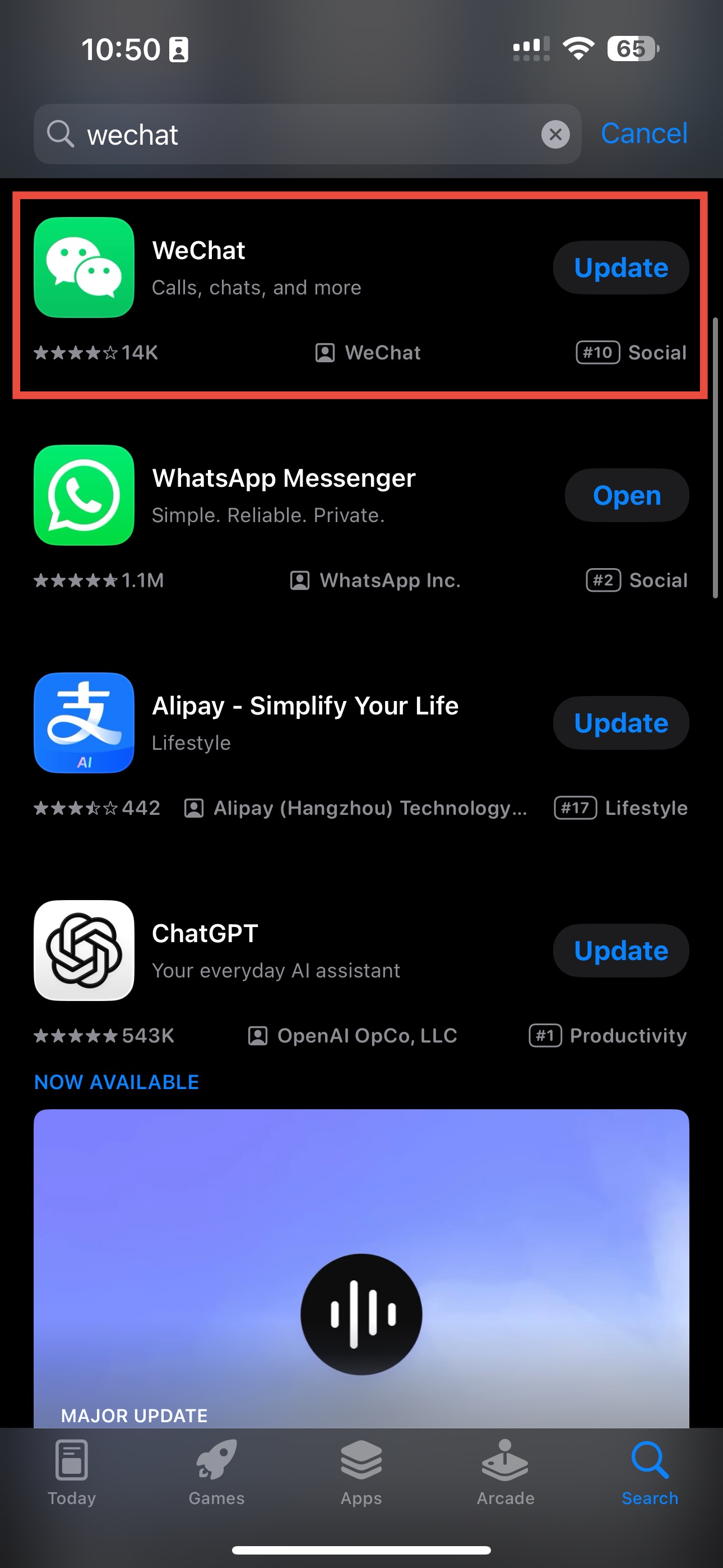
  2. 2Search "WeChat" โ€” the green icon with two chat bubbles
  3. 3Tap Get / Install and wait for download (~230MB)
  4. 4Open the app โ€” you'll see the login screen
๐Ÿ’ก Download at Home
WeChat is available internationally but download speeds are faster at home. Don't wait until you're at the airport.
China Mobile counter at Beijing Capital Airport

2

Register Your Account

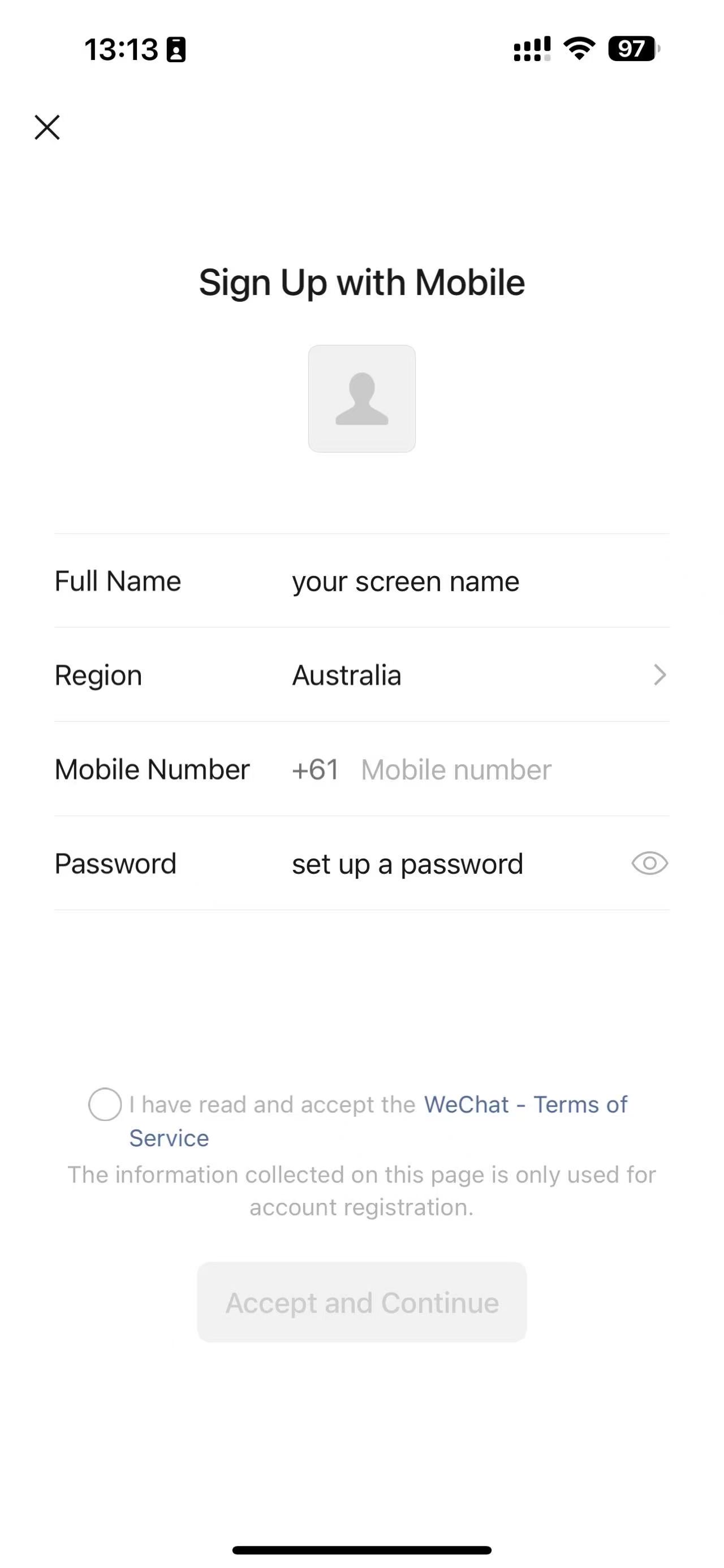
  1. 1Tap "Sign Up" on the welcome screen
  2. 2Enter your name (this is your display name โ€” you can change it later)
  3. 3Select your country code and enter your phone number
  4. 4Tap "Send SMS" and enter the verification code
  5. 5Set a password (at least 8 characters with letters and numbers)
  6. 6Agree to the terms and complete the puzzle verification
โš ๏ธ Use a number you'll always have access to
Your phone number is your WeChat ID. If you lose access to that number, recovering your account is very difficult. Use your permanent home number, not a temporary travel SIM.
WeChat Sign Up screen
WeChat Phone verification

3

Get Verified by a Friend

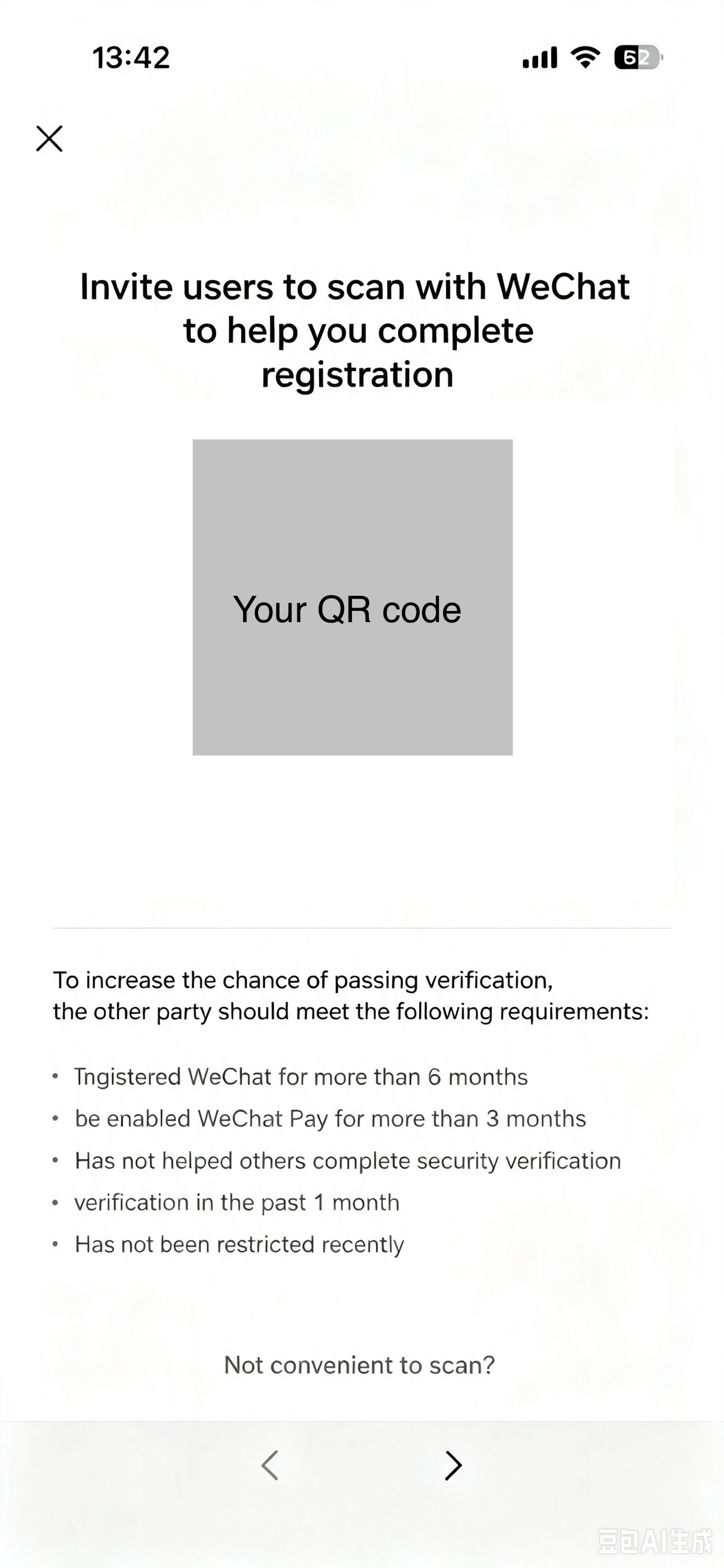
This is the step most guides don't warn you about. New WeChat accounts require verification by an existing WeChat user. This is WeChat's security measure against spam accounts.

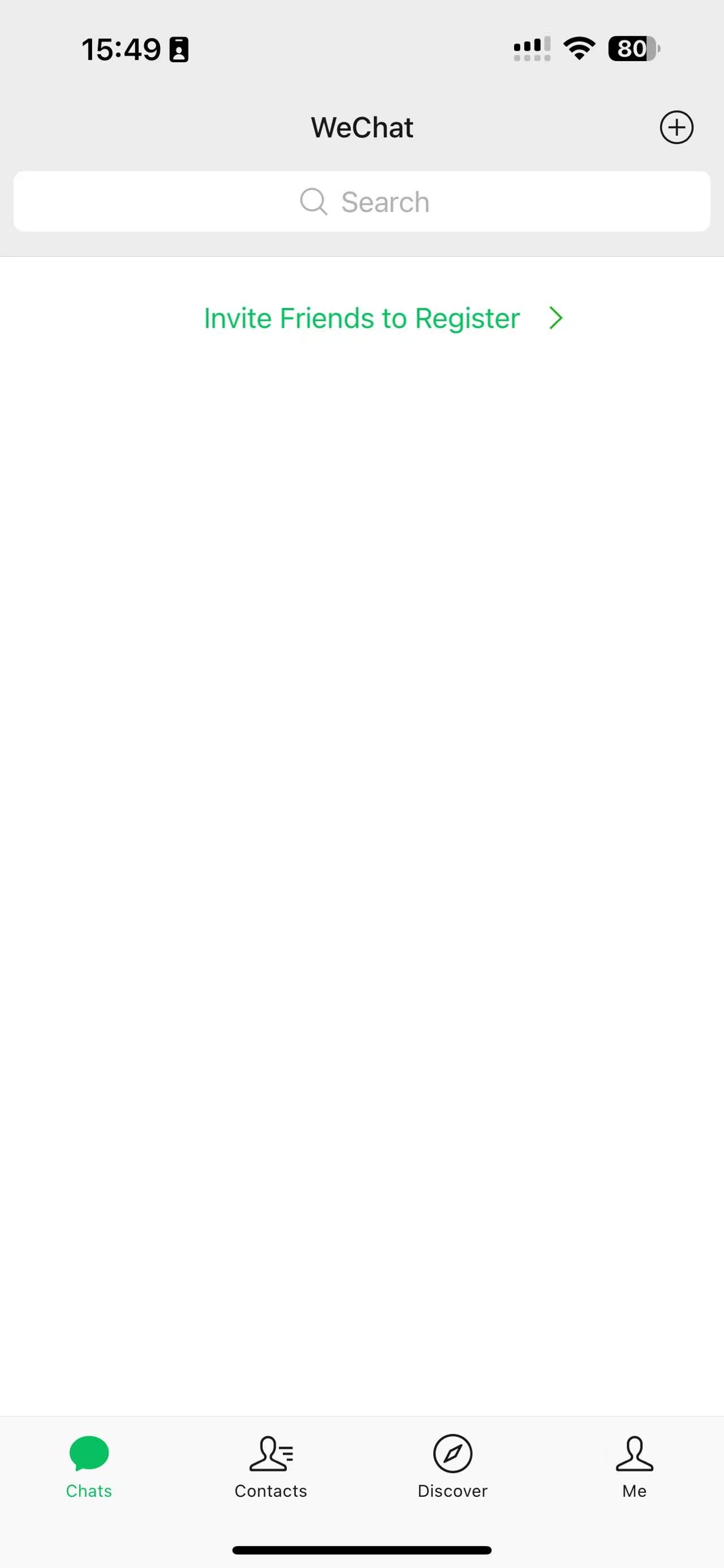
  1. 1After registration, WeChat will ask you to have a friend verify you
  2. 2Ask a friend or colleague who has WeChat to scan your QR code
  3. 3They verify your account through their app โ€” takes 10 seconds
  4. 4Your account is now fully active
๐Ÿ’ก No Friends on WeChat Yet?
Ask in Facebook travel groups โ€” the China travel community is very helpful. Or message me at hello@readychinatravel.com โ€” I'm happy to verify new accounts for Ready? China! readers.
WeChat friend verification screen

4

Set Up WeChat Pay

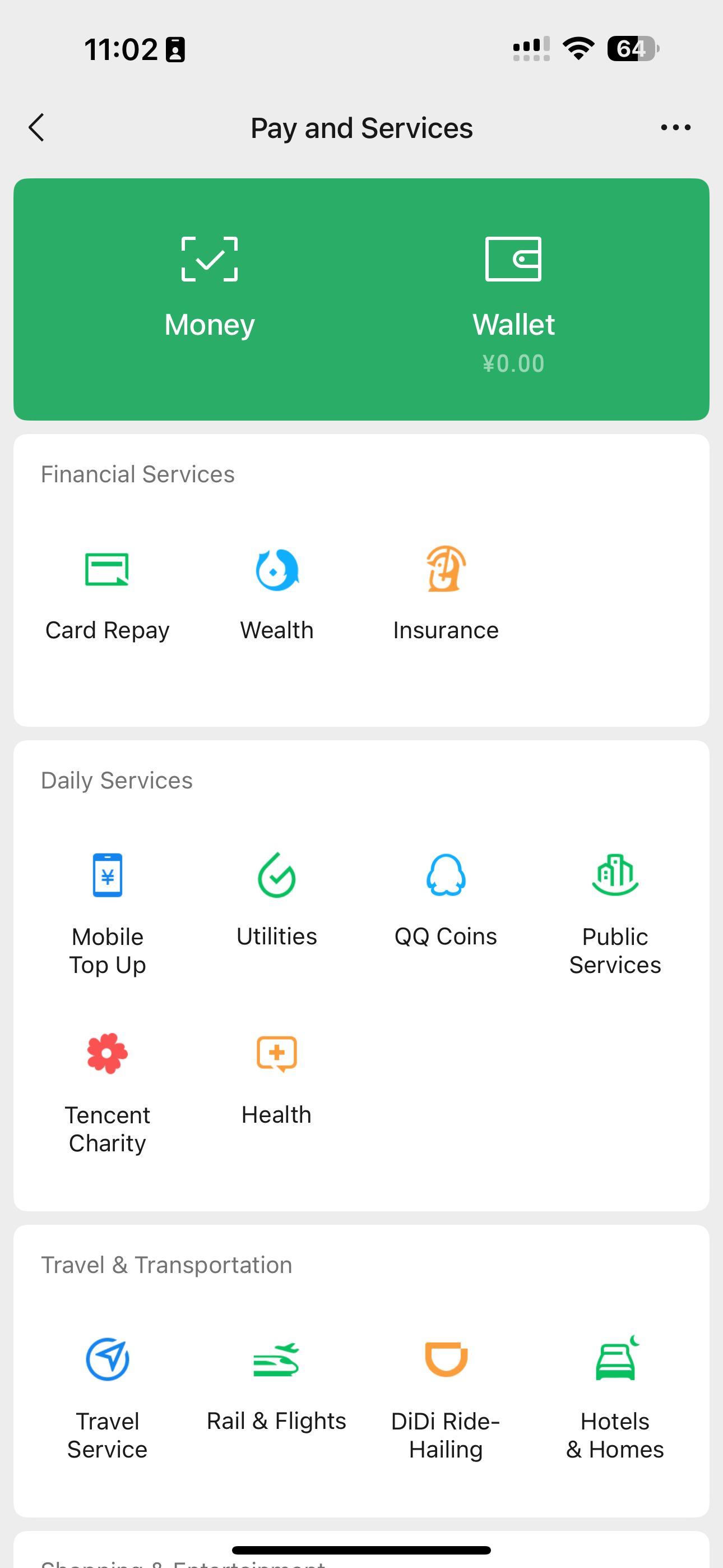
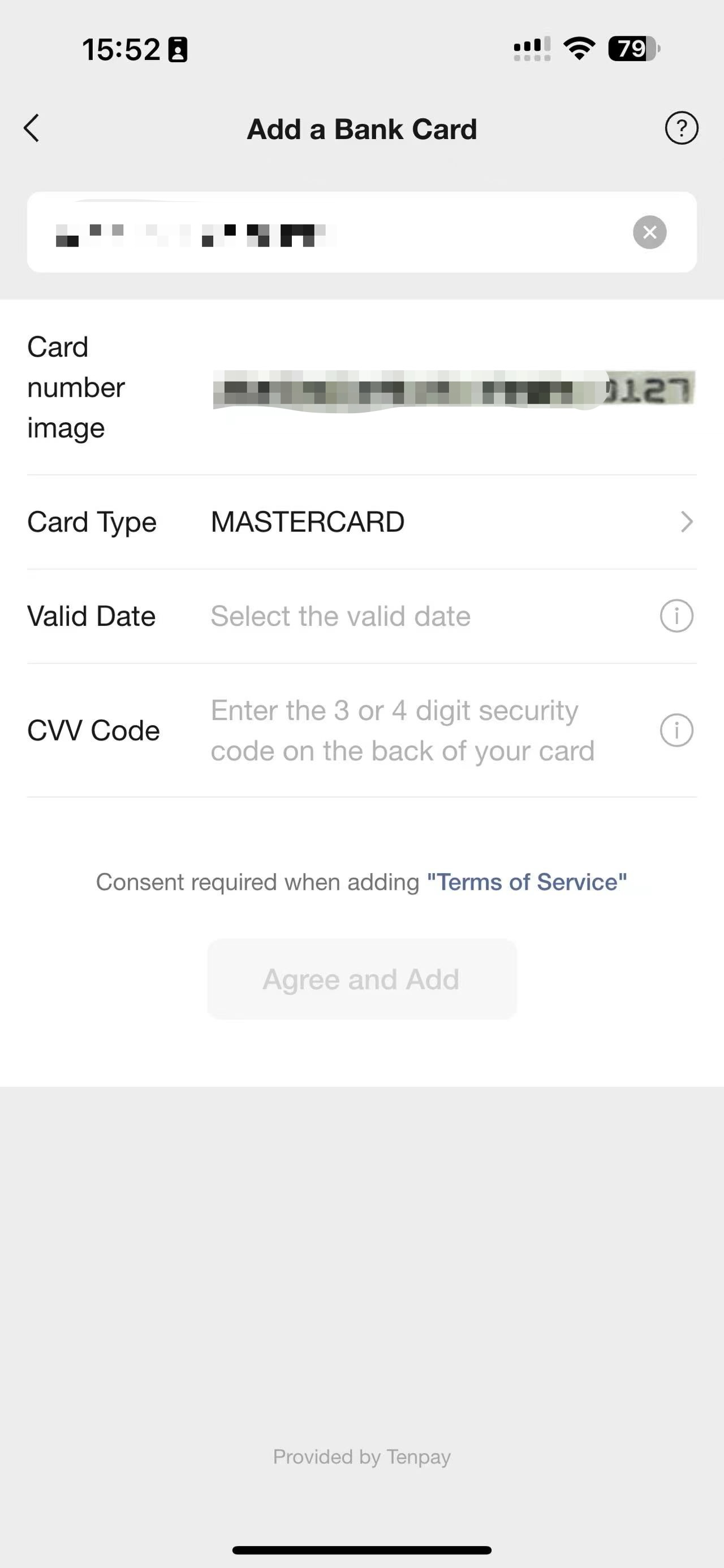
  1. 1Tap Me โ†’ Pay and Services โ†’ Wallet
  2. 2Tap "Bank Cards" โ†’ "Add a Card"
  3. 3Select your card type (Visa, Mastercard, etc.)
  4. 4Enter your card number, expiry, and CVV
  5. 5Verify with SMS from your bank
  6. 6Set a 6-digit payment PIN
๐Ÿ’ณ Supported Cards
Visa and Mastercard work best. Tell your bank you're travelling to China before linking โ€” some banks flag the WeChat verification as suspicious and temporarily block the card.
โ„น๏ธ Alipay vs WeChat Pay
Both work almost everywhere in China. Most travelers use Alipay as their primary payment and WeChat Pay as backup. Set up both if you have time โ€” it takes 20 minutes total. โ†’ Alipay setup guide
WeChat Pay wallet
Add bank card

5

Essential WeChat Features to Know

๐Ÿ” Scan QR Codes
  • Tap + (top right) โ†’ Scan
  • Used for payments, adding contacts, restaurant menus
  • NOT the same as your phone's camera app
  • โ†’ Full QR scanning guide
๐Ÿ—บ๏ธ Mini Programs
  • Search any service in WeChat's search bar
  • Order food: Meituan mini-program
  • Book trains: 12306 mini-program
  • No extra downloads needed
๐Ÿ’ฌ Translation
  • Long-press any message โ†’ Translate
  • Works for Chinese โ†’ English instantly
  • Useful for restaurant menus sent via WeChat
  • Also works in group chats
๐Ÿ“ Share Location
  • Tap + โ†’ Location โ†’ Share Real-time Location
  • Essential for meeting local friends or guides
  • Works without Google Maps
  • Pin drops in WeChat use Amap data (accurate in China)

๐Ÿ’ฌ Get the Free WeChat Setup PDF

Printable step-by-step guide with screenshots โ€” everything you need to get WeChat running before you land in China.

โœ… On its way! Check your inbox.
No spam. I reply personally.
โœ… Last verified August 2026 by Kat โ€” always double-check official sources before you travel.