📲
After You Arrive · 扫码支付

How to Pay with QR Codes in China

This trips up almost every first-time visitor. When a vendor in China shows you a QR code, you do NOT scan it with your phone's camera app (sometimes it doesn't work). You open Alipay or WeChat and scan from inside the app. That one difference unlocks the entire payment system.

⏱ 5 min read📅 Updated September 2026✅ Works with foreign cards
🔑 The One Thing to Remember
Open Alipay or WeChat → tap Scan → point at QR code → done.
NOT your camera app. NOT a QR scanner app. Alipay or WeChat only.
1

How to Scan and Pay (Alipay)

  1. 1Open Alipay

  2. 2Tap the Scan (扫一扫) icon at the top of the home screen
  3. 3Point your camera at the vendor's QR code
  4. 4Enter the amount if prompted (or it auto-fills)
  5. 5Confirm with your fingerprint, face ID, or 6-digit PIN
  6. 6A green ✅ and a success sound confirms payment — show the screen to the vendor
💡 WeChat Pay — Same Process
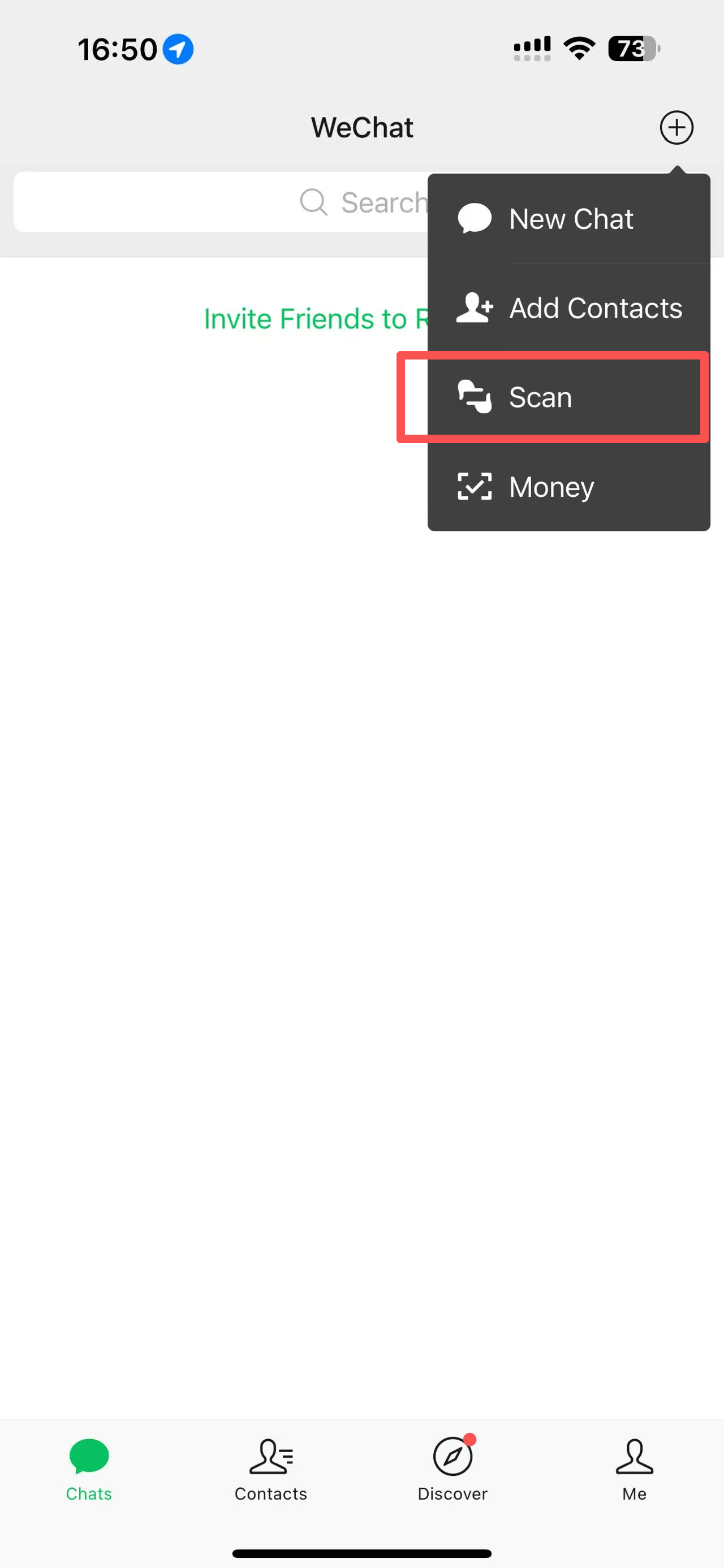
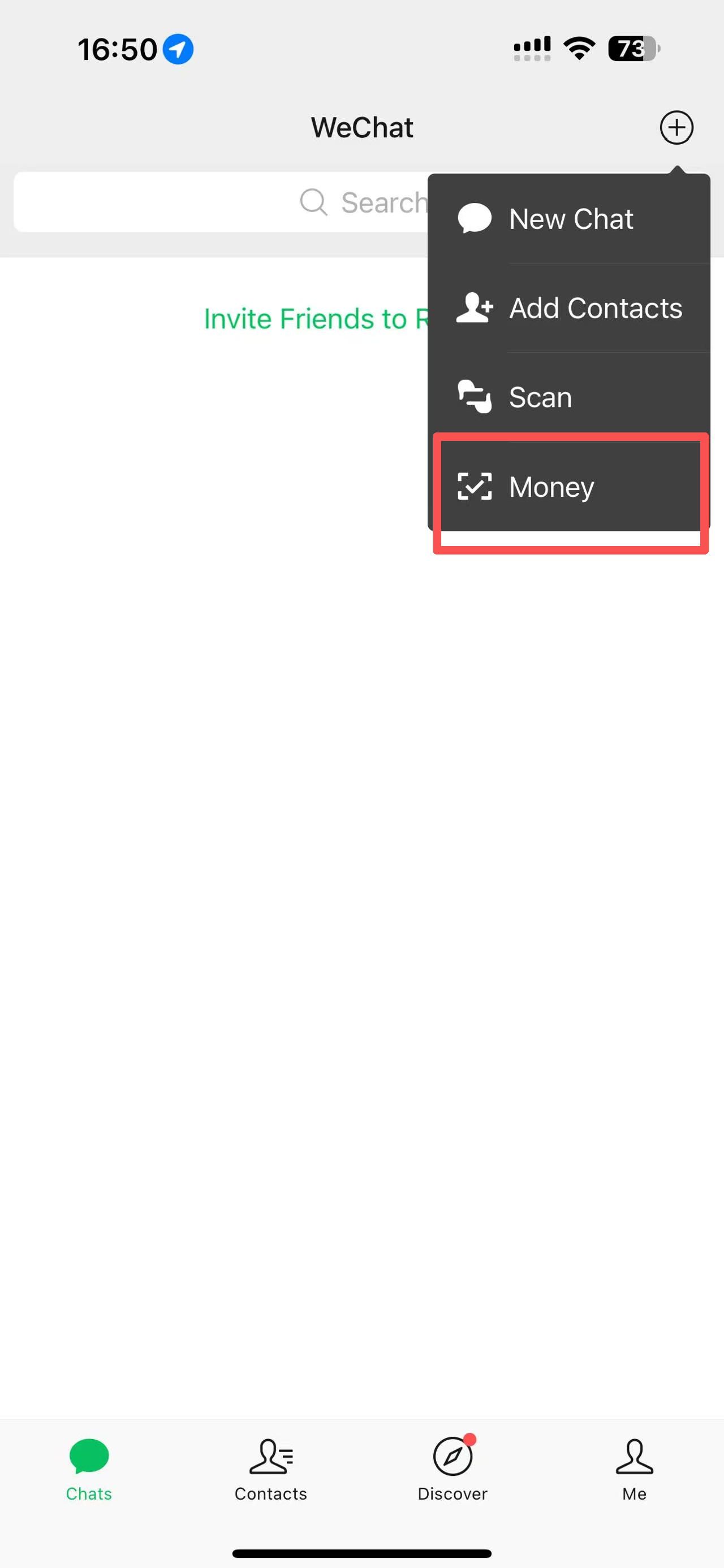
Open WeChat → tap + (top right) → Scan → point at code → confirm. Identical experience. Use whichever app you prefer — both work everywhere.
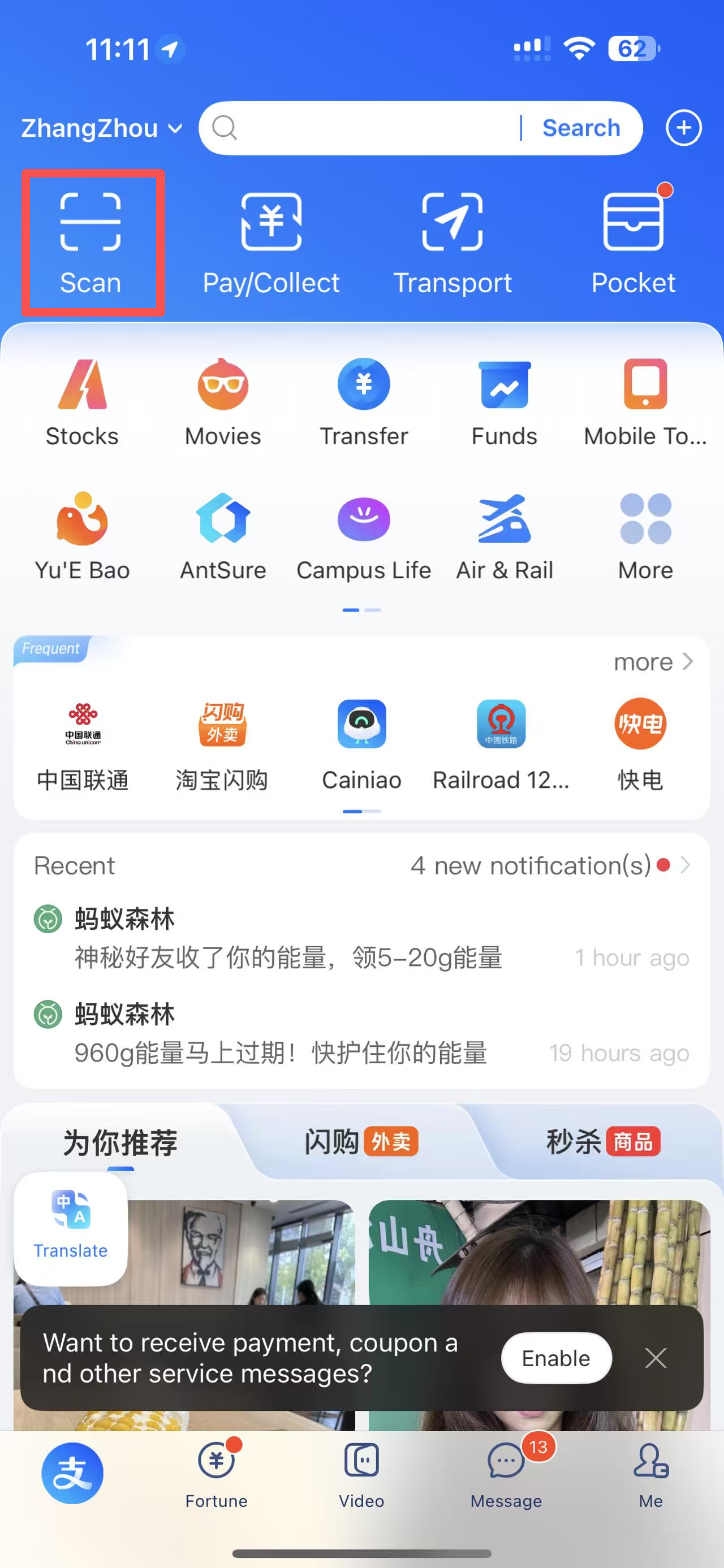
Alipay scan button on home screen
WeChat scan screen

2

When the Vendor Scans YOU

Sometimes (especially at supermarkets and convenience stores) the vendor scans your QR code instead. Here's how:

  1. 1Open Alipay → tap Pay/Collect or look for a barcode icon
  2. 2A barcode and QR code appear on your screen
  3. 3Hold your screen up to the vendor's scanner
  4. 4You'll get a notification when the payment goes through
ℹ️ Which Method When?
You scan vendor's QR : (the most of time) Restaurants, market stalls, small shops, taxis, vending machines
Vendor scans your QR : (the most of time) Supermarkets, convenience stores (7-Eleven, FamilyMart), pharmacies
Alipay to be scanned
WeChat to be scanned

3

Where You'll Use QR Payments

🍜 Restaurants
  • Scan the table QR → digital menu appears → order and pay in one flow
  • Or scan the payment QR at the counter
  • Many restaurants : cash-free — QR or nothing
  • If you're confused, show staff your Alipay scan screen — they'll guide you
🚇 Transport
  • Metro: Open Alipay → click "transport" → get QR → scan at gate
  • Bus: Same as metro — Alipay or WeChat transit QR
  • Didi: Payment is automatic through the app after your ride (don't pay twice)
  • Bike sharing: Scan the bike's QR with Alipay to unlock
🛍️ Shopping
  • Street markets: vendor shows you QR on phone — you scan
  • Supermarkets: self-checkout with Alipay or vendor scans your barcode
  • Vending machines: scan the screen's QR with Alipay
  • Tourist sites: tickets often sold via QR scan + WeChat mini-program
🏪 Convenience Stores
  • 7-Eleven, FamilyMart, Lawson all over China
  • Open 24/7 — great for snacks, water, phone chargers
  • Show your Alipay barcode at checkout
  • English-labeled products available at larger branches

📲 Get the Free QR Payment Cheat Sheet

One-page printable showing exactly how to pay at restaurants, shops, and transport — with screenshots. Keep it on your phone for your first week.

✅ On its way!
No spam. I reply personally.