How to Use Dianping (大众点评) to Find Great Food in China
How locals discover restaurants — and how you can use it even if you don't read Chinese.
What Is Dianping?
Dianping (大众点评, "public review") is China's leading restaurant discovery and review app — often compared to Yelp or TripAdvisor, though it covers far more of daily life: restaurants, cafés, bars, salons, and more. It's owned by Meituan and used by hundreds of millions of people across China every month, which means its restaurant data is deep, current, and shaped by real local dining habits — not filtered for a tourist audience.
Why Should Travelers Use It?
International platforms like Google Maps or TripAdvisor tend to only show restaurants that already cater to foreign visitors or have English listings — which is a small slice of what's actually good nearby. Dianping gives you a much bigger picture:
- •Find restaurants and cafés genuinely near you, not just tourist-facing ones
- •See real customer photos of the food and the space, not stock images
- •Check ratings and review volume, which is often much higher than what you'd find on international apps
- •See which specific dishes are popular at a given restaurant
- •Check the approximate price per person before you sit down
- •Discover small, local spots that may not appear on international platforms at all
This doesn't mean Dianping is always "better" than Google or TripAdvisor — it just reflects a different, much larger pool of local reviewers, which is genuinely useful information when you're trying to eat well in a country you don't know yet.
How to Search for a Restaurant
- 1Open the app — it should detect your location automatically (allow location access if asked).
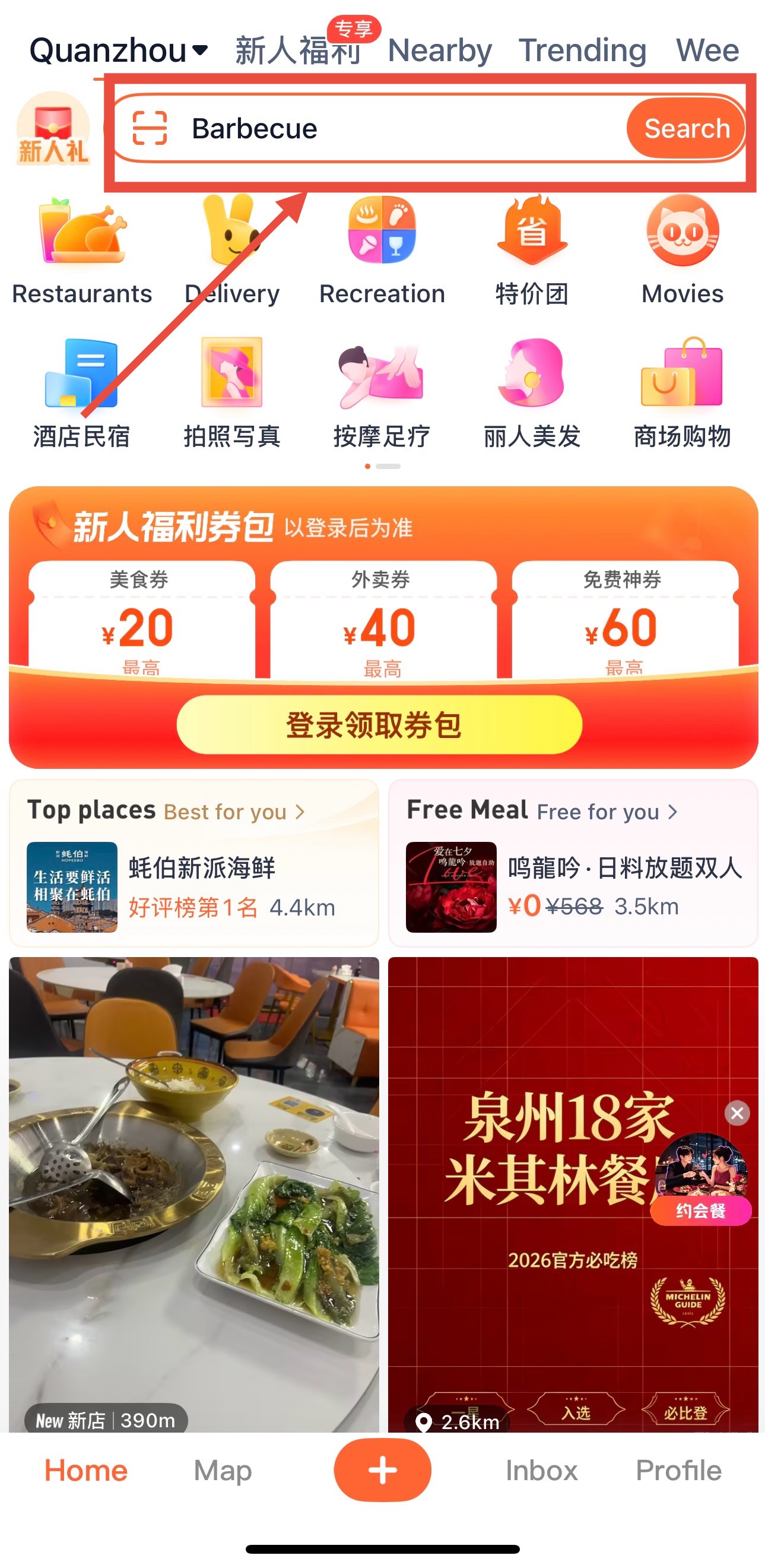
- 2Tap the search bar and type a cuisine type (like "hot pot" or "noodles"), a dish, or a restaurant name.
- 3Or skip typing entirely — scroll the "Nearby" or "Recommended" feed on the home screen for a curated list of what's around you right now.
- 4Results are sorted by relevance and rating by default — you can also switch to sort by distance or price.
How to Read a Dianping Restaurant Page
This is the part that actually matters most for a foreign visitor. There is what to look for:
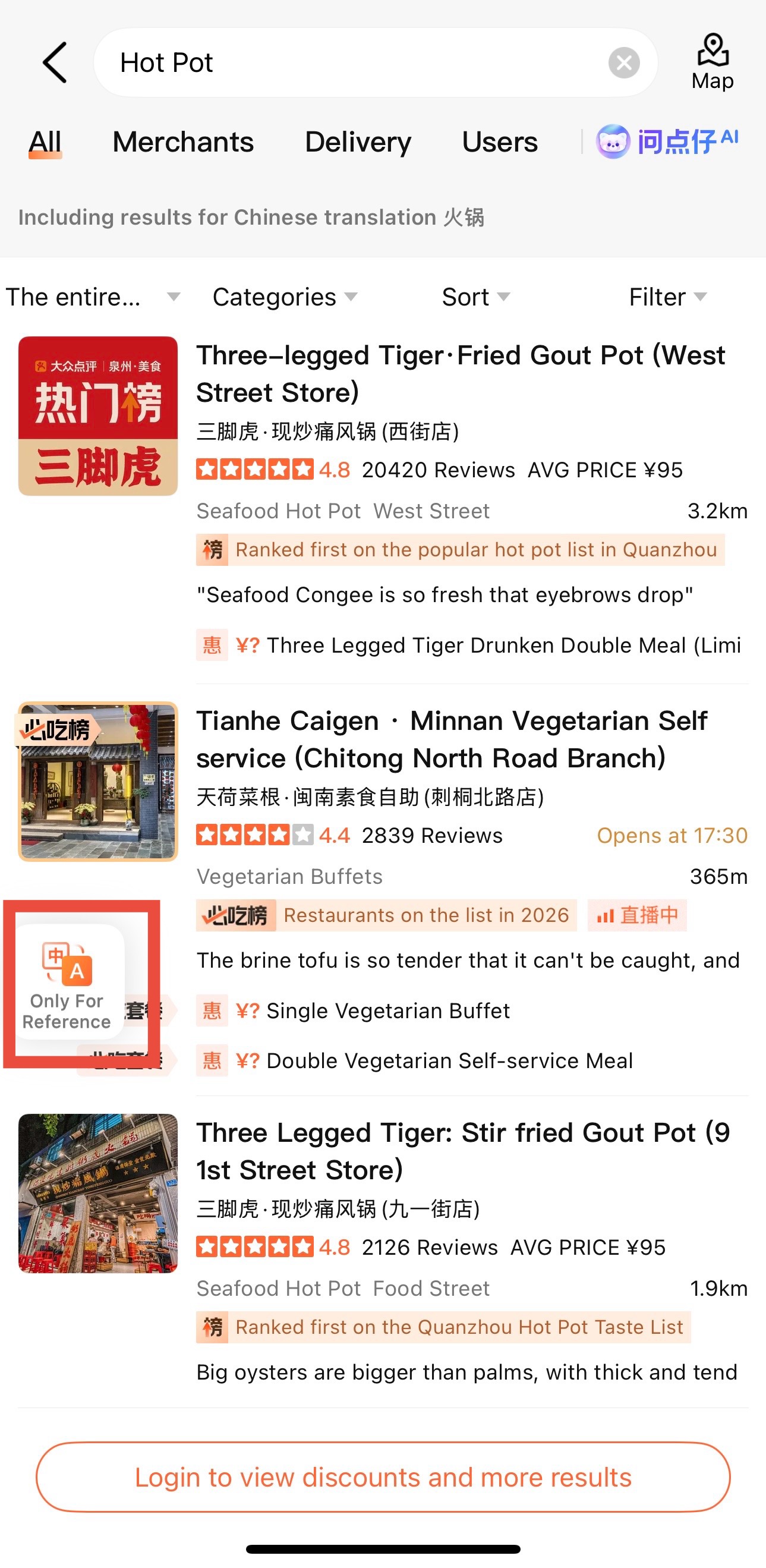
- Restaurant name — save it, even if you can't read it (more on this below)
- Star rating — out of 5, shown clearly at the top
- Number of reviews — a strong signal on its own; thousands of reviews means it's a genuinely popular local spot
- Photos — tap into the photo gallery for real customer shots of the food and interior
- Popular dishes — usually listed near the top, showing what people actually order
- Price per person (人均) — an average spend estimate, very useful for budgeting
- Location and distance from where you are
- Opening hoursand where listed
How to Decide What to Order
Even without reading Chinese, you can order well:
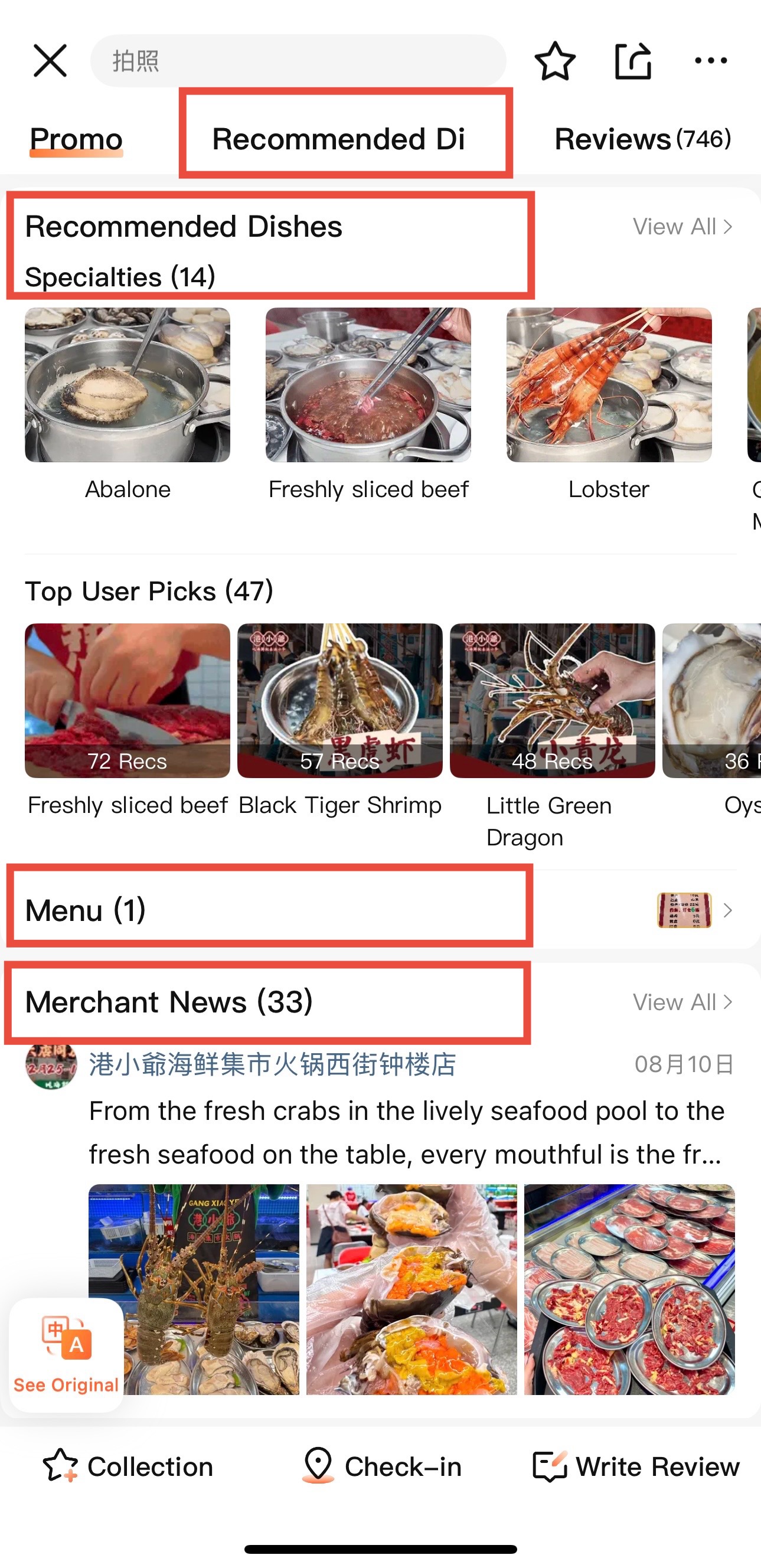
- •Check the "popular dishes" section — these are ranked by how often customers actually order and photograph them
- •Scroll customer photos to see what the food actually looks like before you order
- •Some listings include menu photos — screenshot the dish you want and point at it in person if the restaurant has waitstaff to take your order
- •Read a few recent reviews (translate with your phone's camera or a translation app if needed) for quick context on portion size or spice level
Useful Tips for Non-Chinese Speakers
- •Screenshot the restaurant's name, address, and location pin before you leave your hotel.
- •Use your phone's built-in camera translation (or Google Translate / Baidu Translate) to scan a menu on the spot.
- •Let the photos do the talking — you can judge a lot about a dish without a single word of Chinese.
- •Save the restaurant's Chinese name specifically — this is what you'll need to show a Didi driver or ask a local for directions.
- •Don't rely entirely on the English/translated version of a restaurant's name — it often won't match what's written on the sign outside or what a local recognizes.
FAQ
📱 Get the Free Apps Cheat Sheet
A printable one-pager covering Amap, Dianping, Alipay, WeChat, and Didi — exactly what to set up before you land.