How to Use Amap (高德地图) in China
Your China Google Maps alternative — and one of the most useful apps to have once you land.
Why You Need Amap in China
Amap (高德地图, "Gaode Ditu") is China's most widely used map app — think Google Maps, but built for how China actually works: real-time subway data, accurate walking routes, and restaurant listings that are actually current. You don't need to learn every feature. Just these:
- •Search for places by name, even without knowing the Chinese characters
- •Get walking, driving, or public transit directions
- •Check bus and metro routes with ETA and estimated cost
- •Find restaurants, attractions, hotels, and yes — public toilets
- •Share or save a location to send to a friend or a driver
Amap even has an AR walking mode — hold your phone up and it overlays directional arrows on the real street through your camera. It's a fun bonus, not something you need to figure out to survive your trip.
Before You Start
- 1Download Amap before you fly — it's easiest from home wifi (see our VPN guide if you need Google Play access to work first).
- 2Open Settings inside the app and switch the language to English — this makes menus, buttons, and most place names readable.
- 3Make sure you have mobile data once you land — see our eSIM guide.
- 4Allow location access when the app asks — it needs this to actually navigate you anywhere.
- 5When searching, try the English name first — Amap recognizes most tourist spots, hotels, and chains. If nothing comes up, that's when you'll want the Chinese name (your hotel confirmation email usually has it).
How to Search for a Place
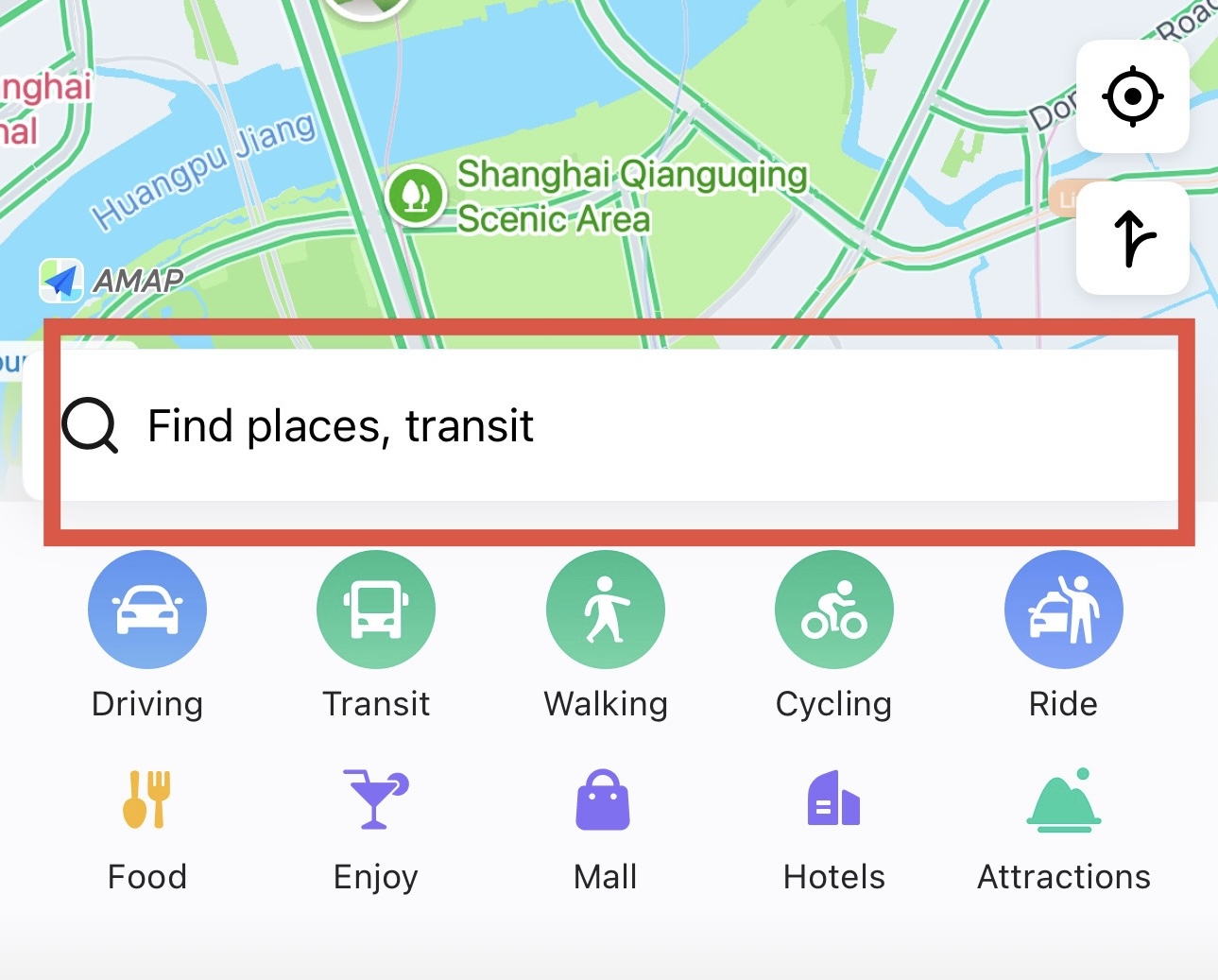
- 1Tap the search bar at the top of the screen.
- 2Type the name of the place — a landmark, hotel, restaurant, or even something generic like "coffee" or "pharmacy."
- 3Amap will show a list of matching results with distance from your current location.
- 4Tap a result to see its address, photos, opening hours, and how far it is from you.
How to Get Directions
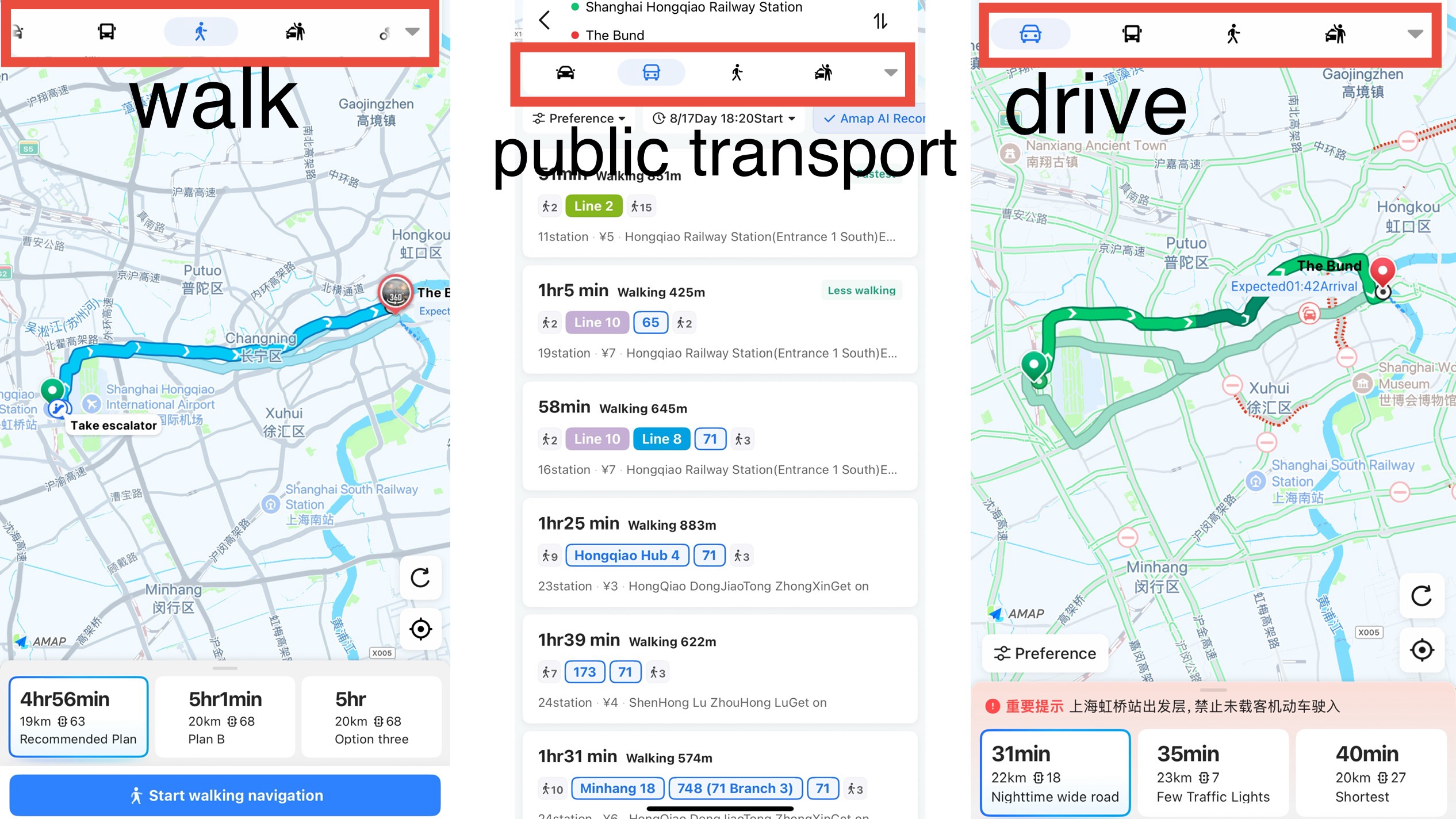
Once you've found your destination, tap the blue "Route" or "Directions" button. You'll see tabs across the top for:
- •Walking — best for short distances, shows sidewalks and pedestrian paths accurately
- •Public Transit — combines bus and metro, shown in the next step
- •Driving / Taxi — useful even if you're not driving, since it shows you the route a Didi or taxi driver would take, and roughly how long it should take
How to Use Amap for Public Transportation
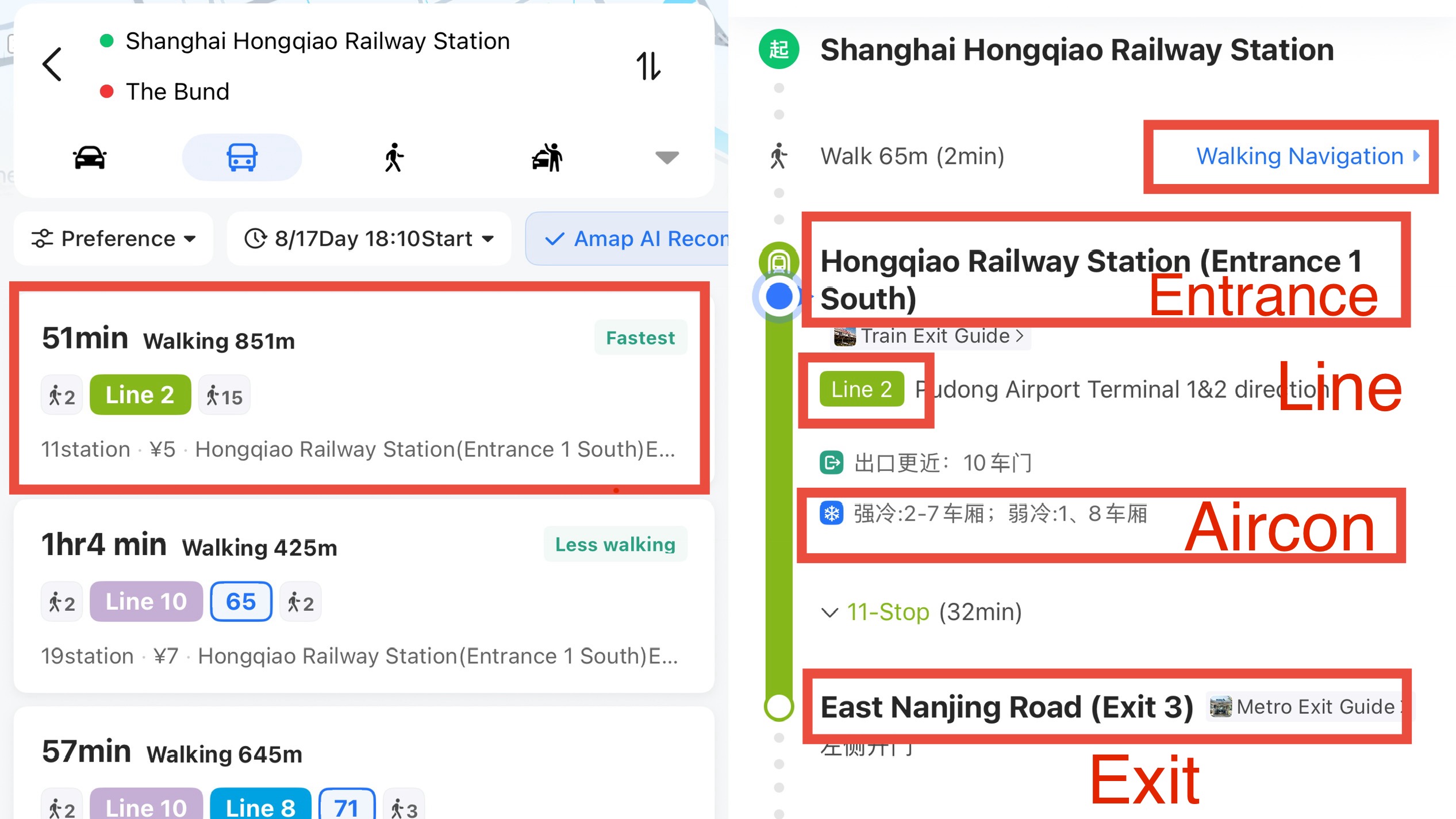
This is where Amap genuinely outperforms Google Maps in China. Tap the Public Transit tab after searching a destination, and it shows you:
- •Which metro line(s) or bus route(s) to take, including transfers
- •Which exit to use at the metro station (this alone saves you from surfacing on the wrong side of a huge intersection)
- •Estimated travel time and number of stops
- •Estimated cost of the trip
- •Live ETA for the next bus, if you're taking one
For the actual mechanics of boarding and paying, check our Bus Guideor Metro Guide.
One Important Tip for Foreign Travelers
- •Save your hotel's Chinese name and address somewhere you can access offline — a screenshot works fine.
- •Before you head out, take a screenshot of your destination's location pin and address.
- •If a taxi or Didi driver looks confused, show them the Chinese address on your screen instead of trying to say it out loud.
- •Don't rely only on English place names — some smaller spots only show up if you search a rough Chinese name or use the pin location instead.
FAQ
📱 Get the Free Apps Cheat Sheet
A printable one-pager covering Amap, Dianping, Alipay, WeChat, and Didi — exactly what to set up before you land.